 QRBuildingSimplify. Digitalize. Evolve.Manage SMS preferences
Your phone. Your choices.
How SMS consent works
QRBuilding uses two separate choices: a requested verification text and optional updates from your building’s management. Verification never enrolls you in building alerts. The sole SMS sender is (888) 906-6886.
Continue to SMS preferences1. Resident verification
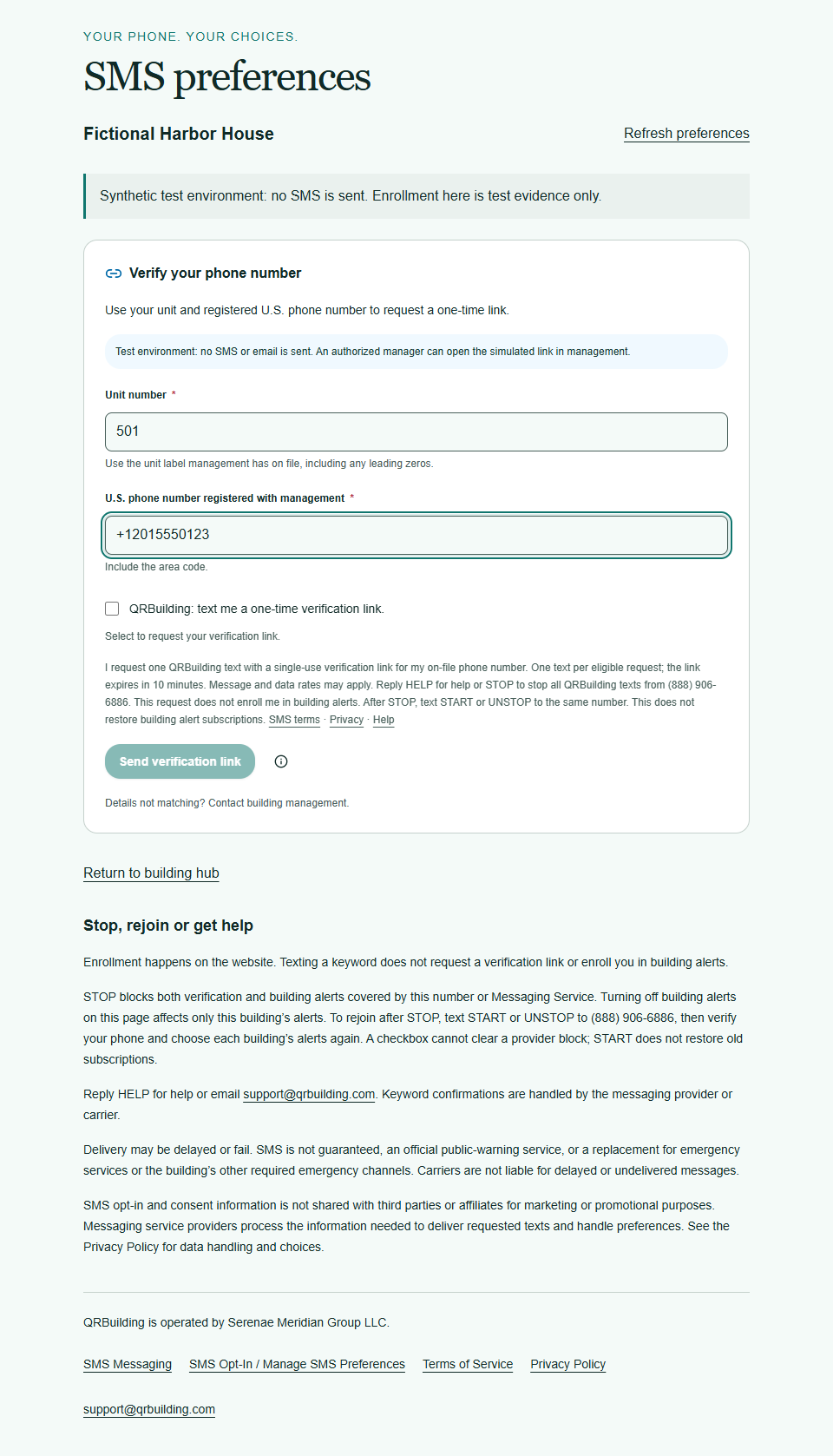
Request a verification text
The resident enters their unit and approved on-file U.S. phone number. The verification checkbox starts unchecked, and Send verification link stays disabled until the resident actively selects it. The purpose, frequency, rates, HELP, STOP and policy links appear beside the request.
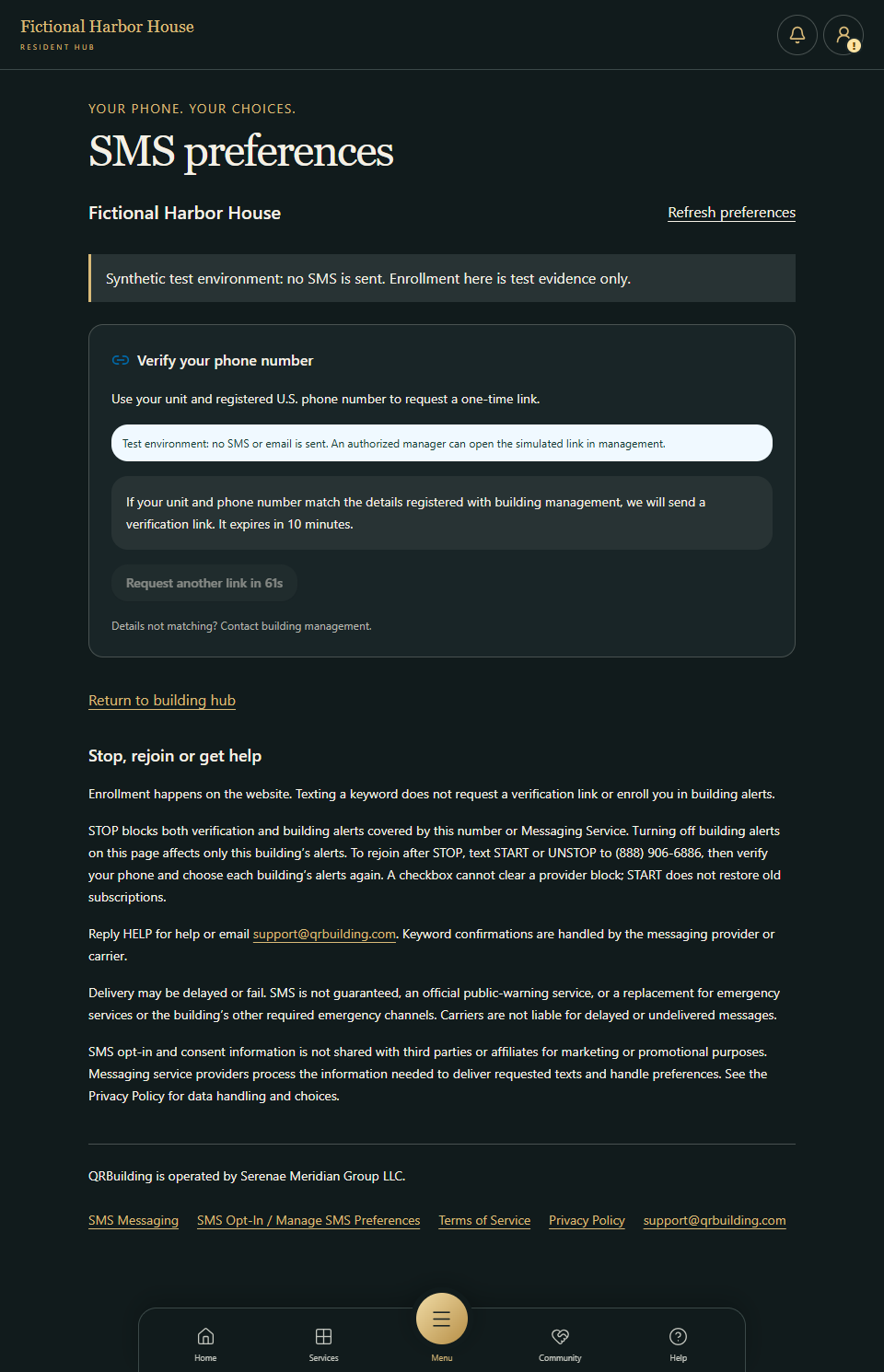
Receive a neutral acknowledgement
An eligible request sends one single-use link, valid for ten minutes. The acknowledgement does not disclose whether the unit or phone appears on the roster. This test uses simulated delivery.
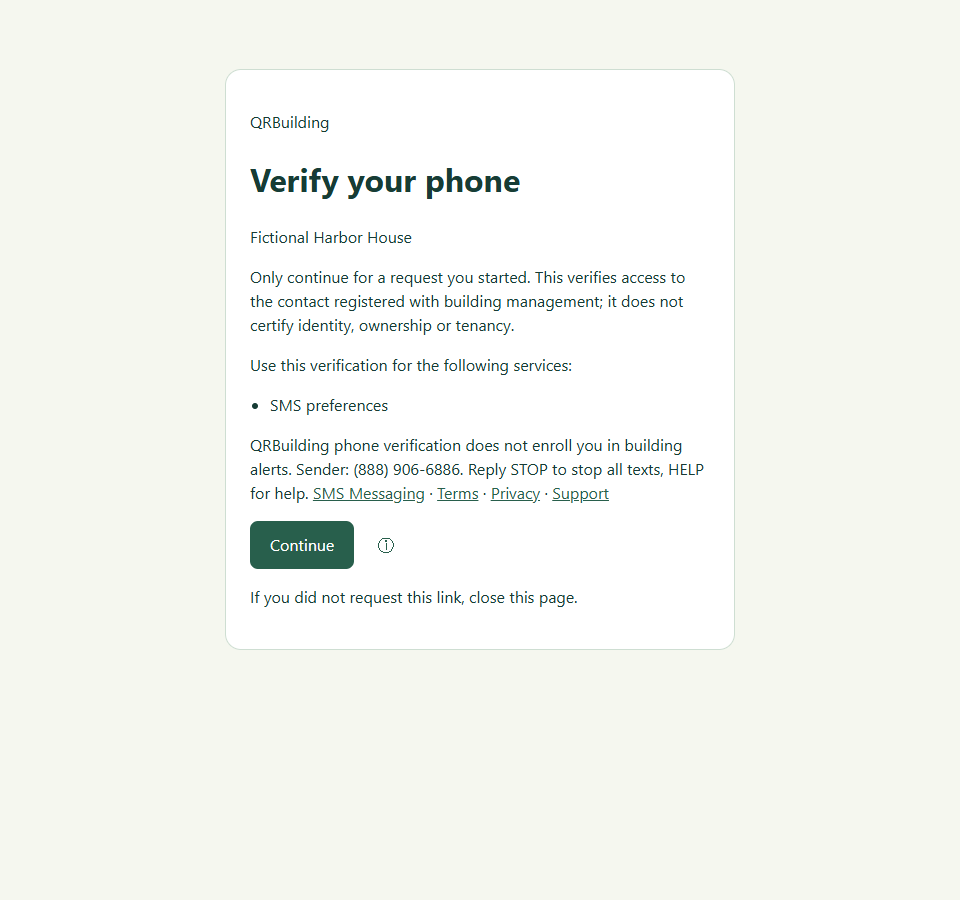
Confirm access to the phone
Opening the verification link leads to an explicit Continue action. Confirmation proves access to the on-file contact; it does not establish legal identity or enroll the resident in alerts. No usable verification token appears in this capture.
2. Optional building alerts
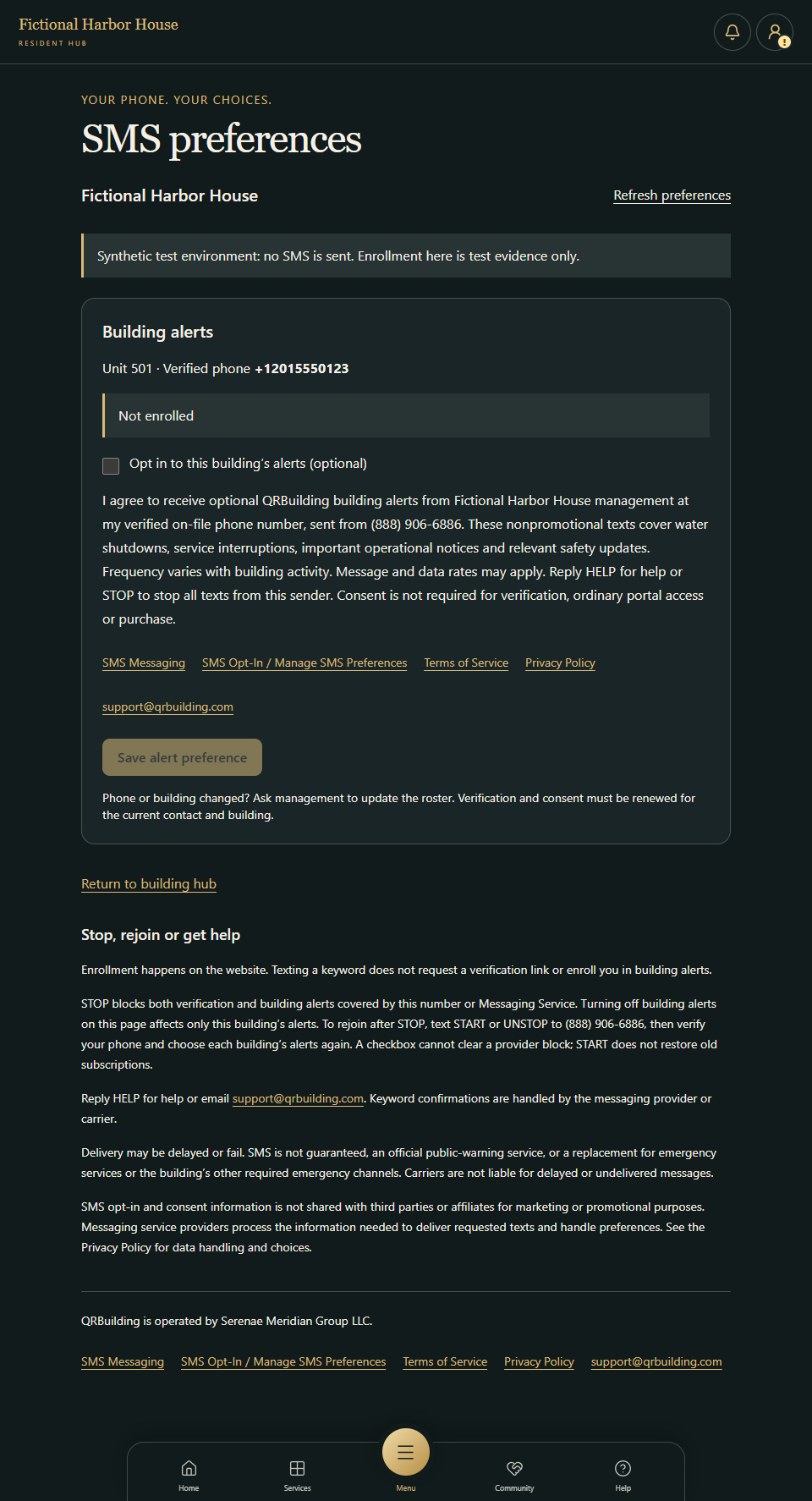
Separately choose building alerts
The verified resident is still Not enrolled. A separate optional checkbox starts unchecked and names the building-management sender, notice types, variable frequency, rates and opt-out instructions. Save alert preference is disabled until that choice is selected.
Save the building-specific preference
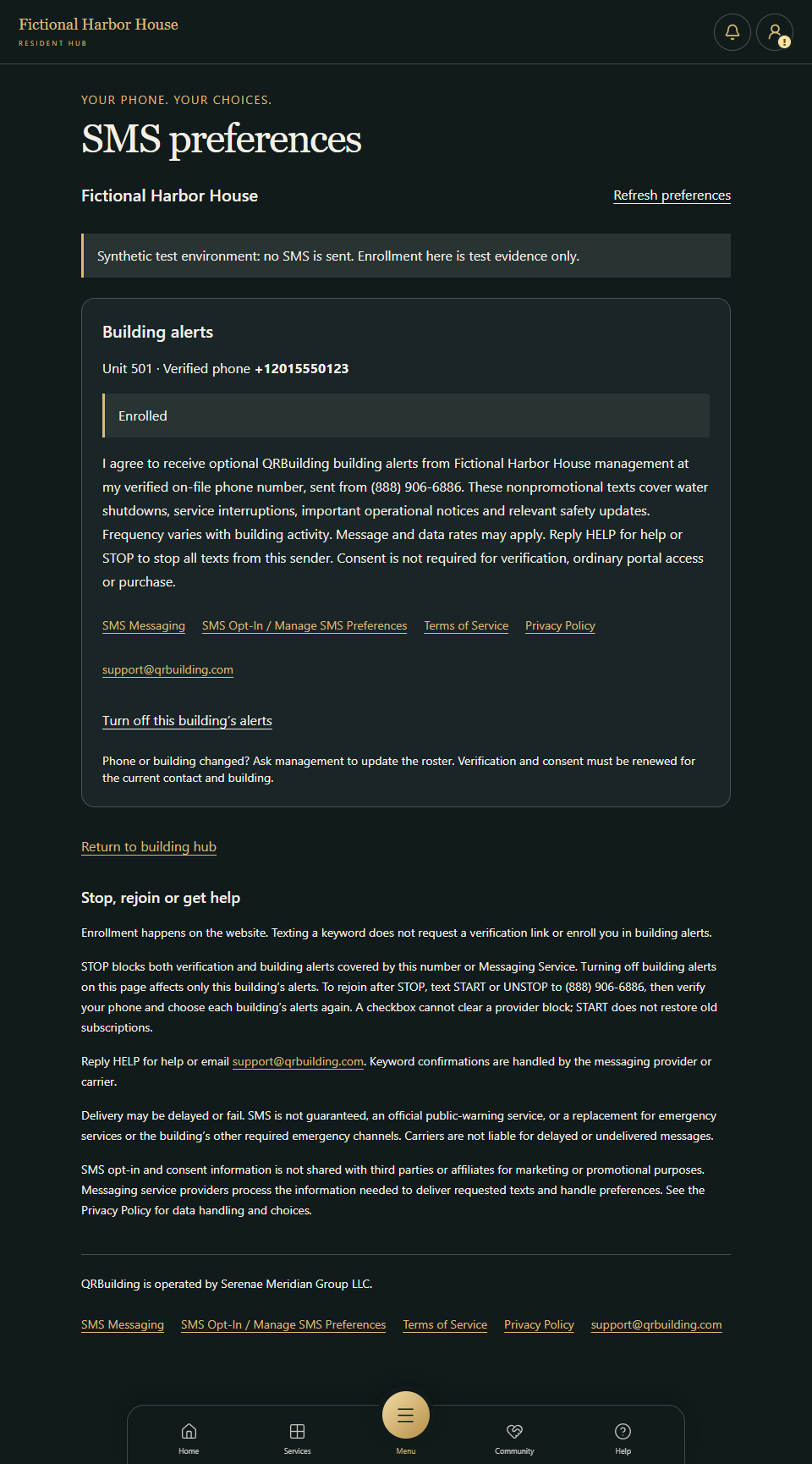
After the resident selects the optional checkbox and saves, the preference remains Enrolled after a page reload. The recorded choice covers this building and verified phone only. The test-environment notice remains visible; no real alert was sent.
3. Withdrawal and rejoining
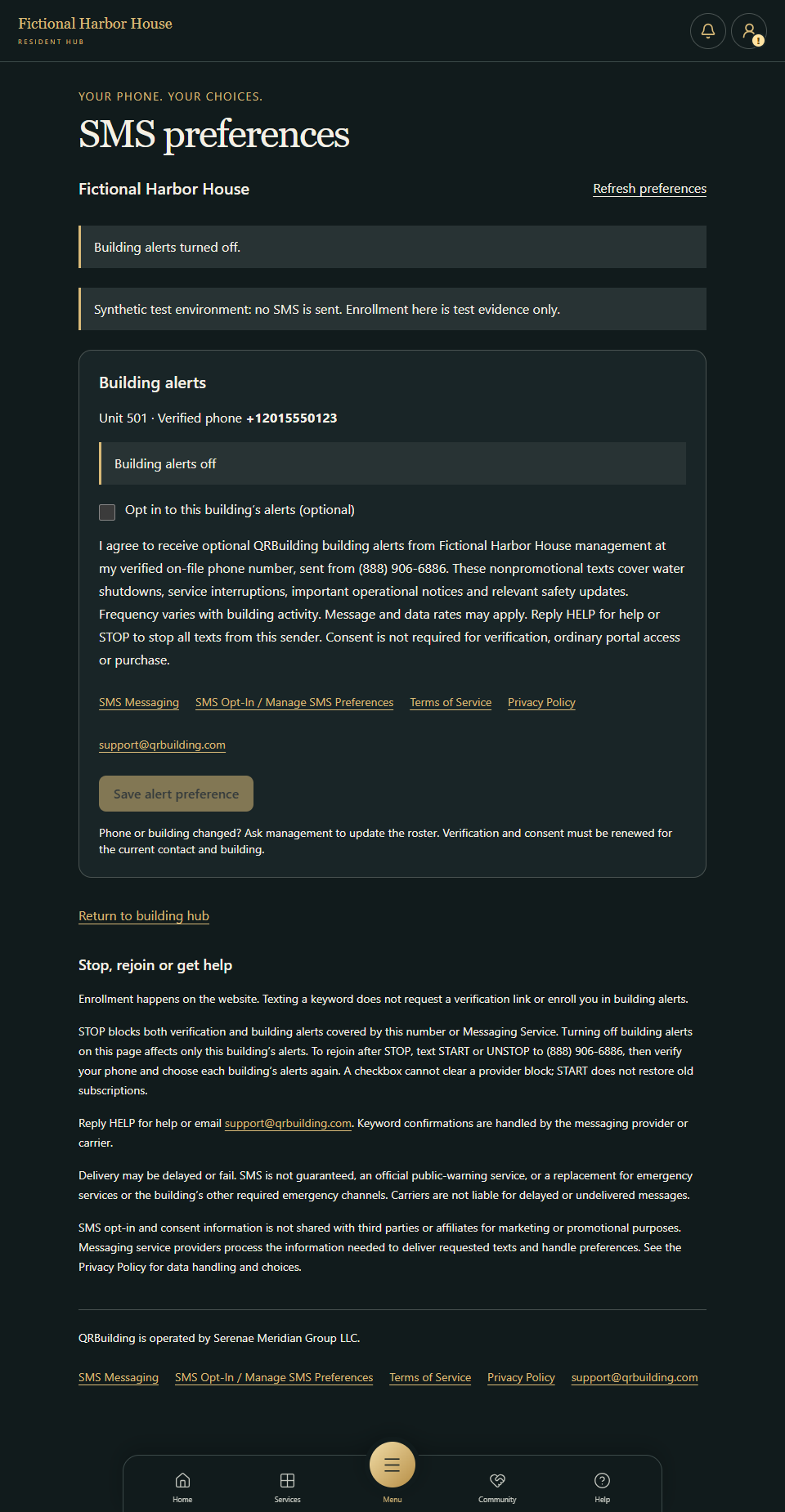
Withdraw from this building’s alerts
Turn off this building’s alerts withdraws that building-specific preference. It does not unsubscribe the resident from every program or clear a provider STOP block.
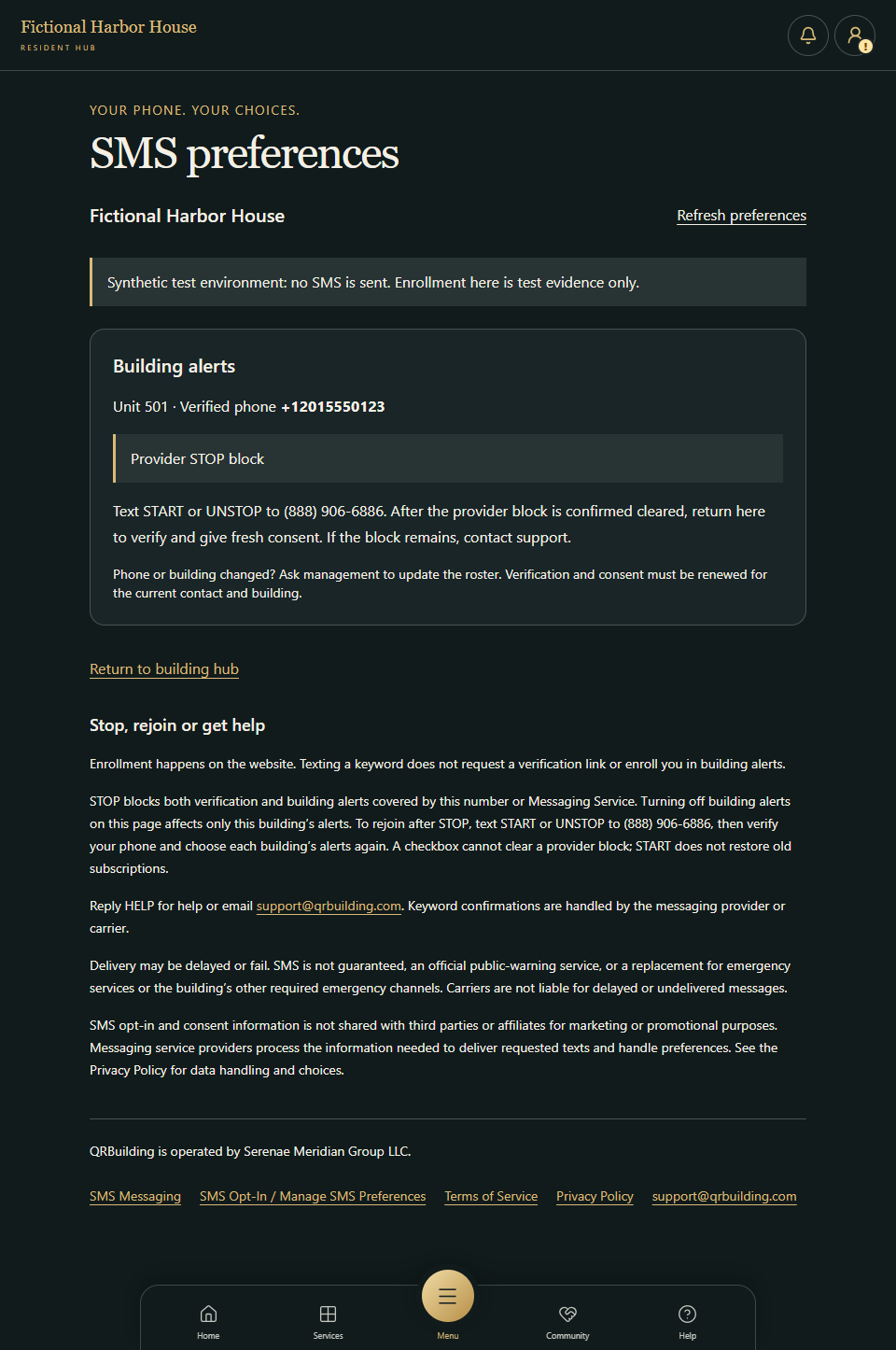
Respect a sender-wide STOP block
This screenshot follows a simulated provider STOP event. The page displays the block and prevents enrollment. STOP suppresses verification and building alerts covered by the sender or Messaging Service.
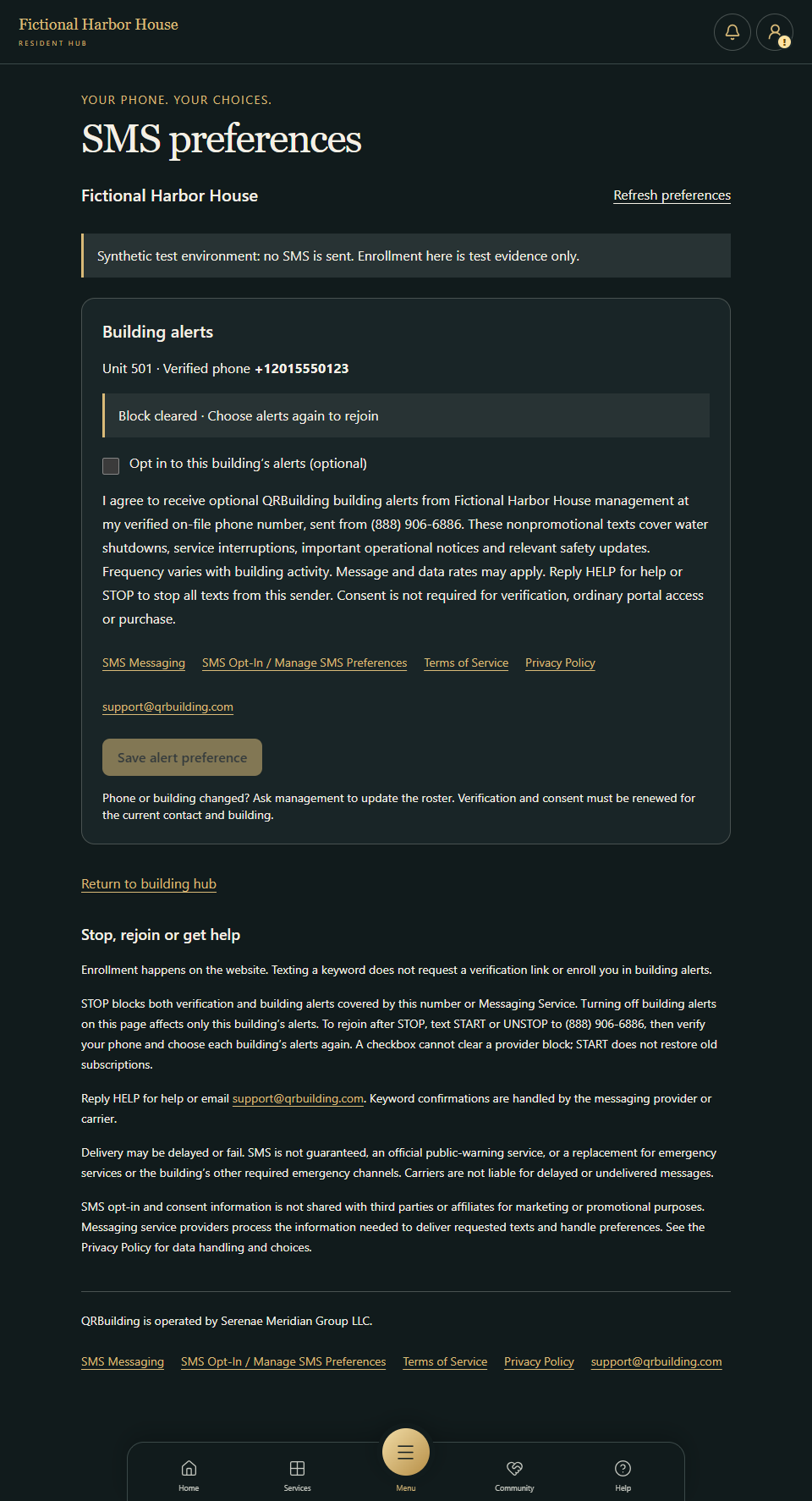
Choose alerts again after rejoining
After a simulated valid START event clears the provider block, the alert checkbox is still unchecked. START or UNSTOP does not request a verification link or restore previous building-alert memberships. The resident must deliberately save fresh consent.
Stop, rejoin or get help
Enrollment happens on the website. Texting a keyword does not request a verification link or enroll you in building alerts.
STOP blocks both verification and building alerts covered by this number or Messaging Service. Turning off building alerts on this page affects only this building’s alerts. To rejoin after STOP, text START or UNSTOP to (888) 906-6886, then verify your phone and choose each building’s alerts again. A checkbox cannot clear a provider block; START does not restore old subscriptions.
Reply HELP for help or email support@qrbuilding.com. Keyword confirmations are handled by the messaging provider or carrier.
Delivery may be delayed or fail. SMS is not guaranteed, an official public-warning service, or a replacement for emergency services or the building’s other required emergency channels. Carriers are not liable for delayed or undelivered messages.
SMS opt-in and consent information is not shared with third parties or affiliates for marketing or promotional purposes. Messaging service providers process the information needed to deliver requested texts and handle preferences. See the Privacy Policy for data handling and choices.
Captured October 22, 2026. Consent disclosure version: qrbuilding-sms-2026-10-21-v1. Your building’s name, contact details and delivery availability will differ. Actual enrollment requires your authorized building and verified on-file phone.